Registration troubleshooting
If you experience issues registering NethSecurity 8, you may encounter an error similar to this:
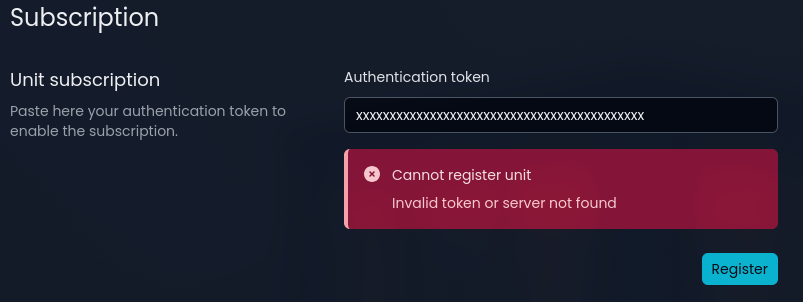
NethSecurity 8 registration failures can result from various causes.
No Internet Connectivity
Check the Internet connection module status on the Dashboard. If it shows "Unknown", the machine may be unable to reach the internet or resolve DNS names.
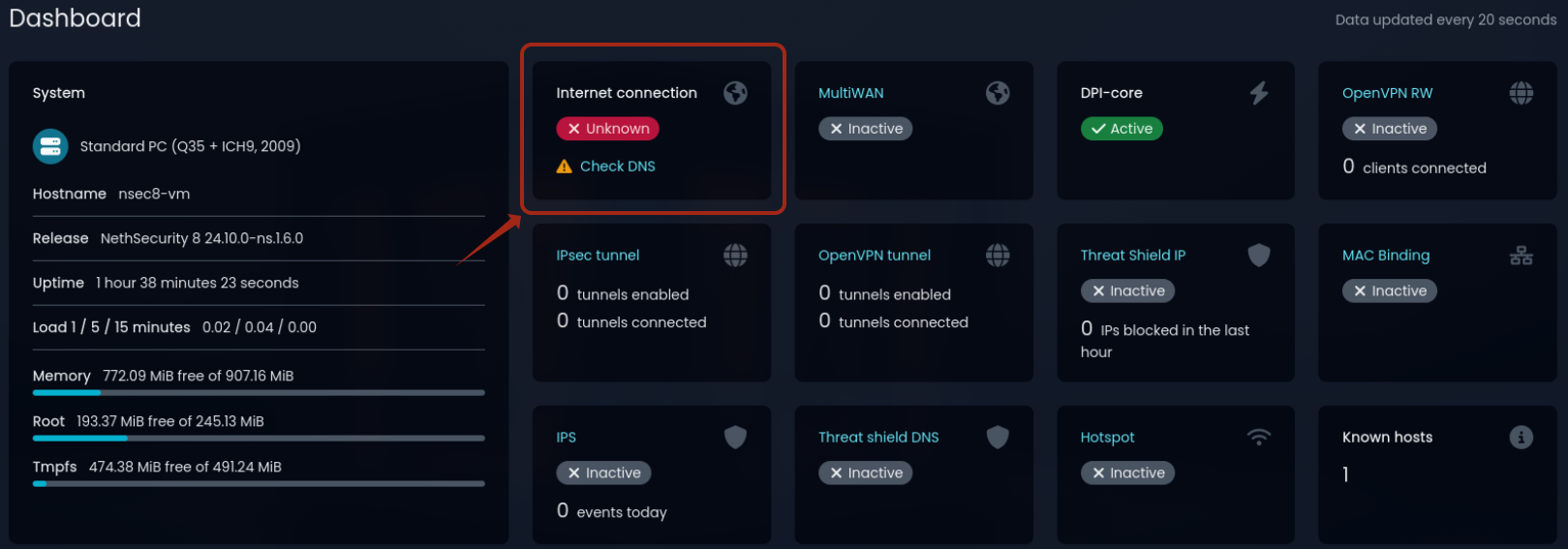
Verify the WAN interface network configuration and ensure settings are correct.
DNS Resolution Issues
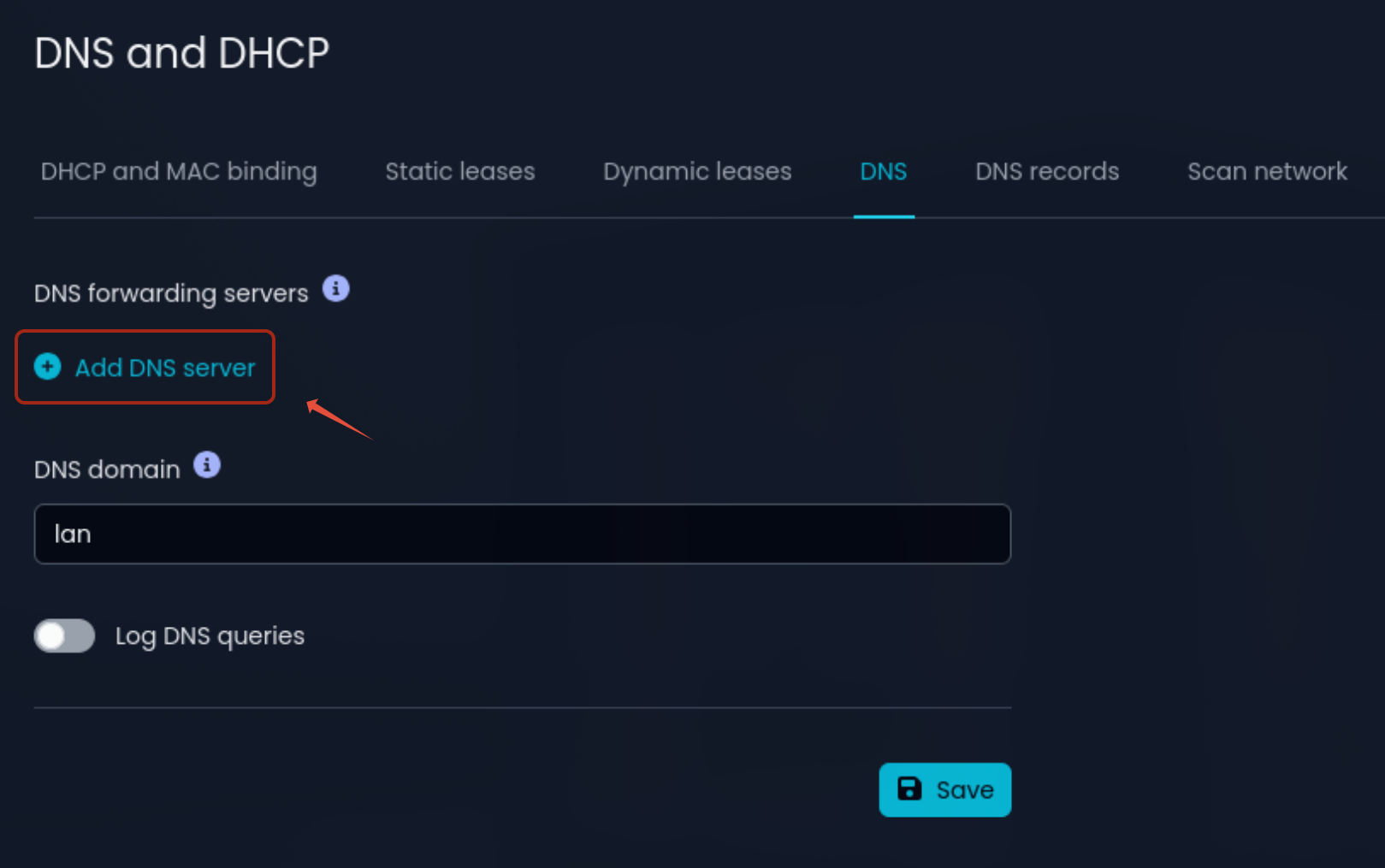
By default, NethSecurity 8 does not include preconfigured DNS forwarders. When WAN is configured with DHCP or PPPoE, the DNS servers provided by your ISP are automatically used. In other cases or with MultiWAN, you need to manually configure DNS forwarders.
Go to the DNS and DHCP > DNS section and set public forwarders (e.g., 8.8.8.8)
Incorrect Date/Time
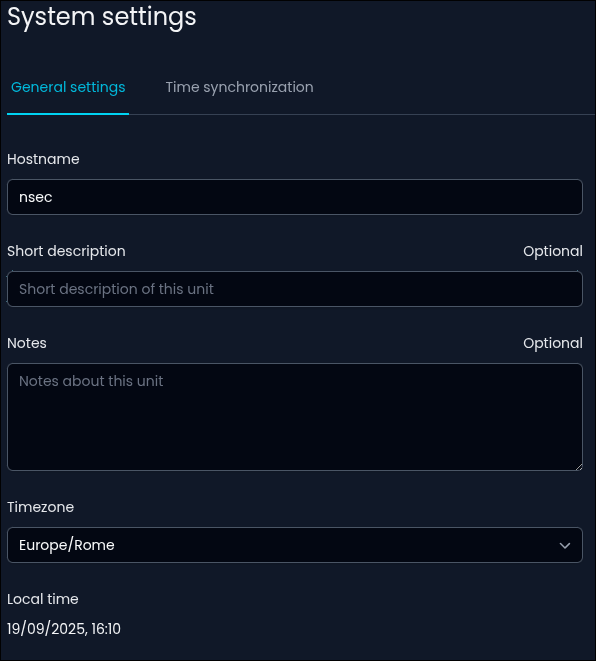
For registration to succeed, the system date and time must be correct. You can verify them by accessing the System Settings > General Settings. At the bottom of the page, you’ll see the local date and time. To ensure accuracy over time, you can also enable automatic synchronization via NTP from the Time Synchronization section.
Terminal Verification
By connecting to the firewall terminal or via SSH, you can verify if internet connectivity and DNS resolution are working correctly.
Ping Public IP
Perform a ping to a public IP address (e.g., 8.8.8.8)
ping -c 1 8.8.8.8
The output should look similar to this, confirming that the machine can reach the IP address 8.8.8.8 correctly:
root@nsec8-vm:~# ping -c 1 8.8.8.8 PING 8.8.8.8 (8.8.8.8) 56(84) bytes of data. 64 bytes from 8.8.8.8: icmp_seq=1 ttl=115 time=10.3 ms --- 8.8.8.8 ping statistics --- 1 packets transmitted, 1 received, 0% packet loss, time 0ms rtt min/avg/max/mdev = 10.292/10.292/10.292/0.000 ms
If you don't get a response, verify your WAN network configuration.
Ping an FQDN
Perform a ping to the hostname my.nethesis.it
ping -c 1 my.nethesis.it
The output confirms that DNS resolution is working correctly, translating the hostname to its IP address and the ICMP response packet arrived successfully:
root@nsec8-vm:~# ping -c 1 my.nethesis.it PING my.nethesis.it (188.166.58.97) 56(84) bytes of data. 64 bytes from my.nethesis.it (188.166.58.97): icmp_seq=1 ttl=53 time=73.4 ms --- my.nethesis.it ping statistics --- 1 packets transmitted, 1 received, 0% packet loss, time 0ms rtt min/avg/max/mdev = 73.420/73.420/73.420/0.000 ms
If you don't receive a response and the hostname is not translated to its IP, verify your DNS configuration.